
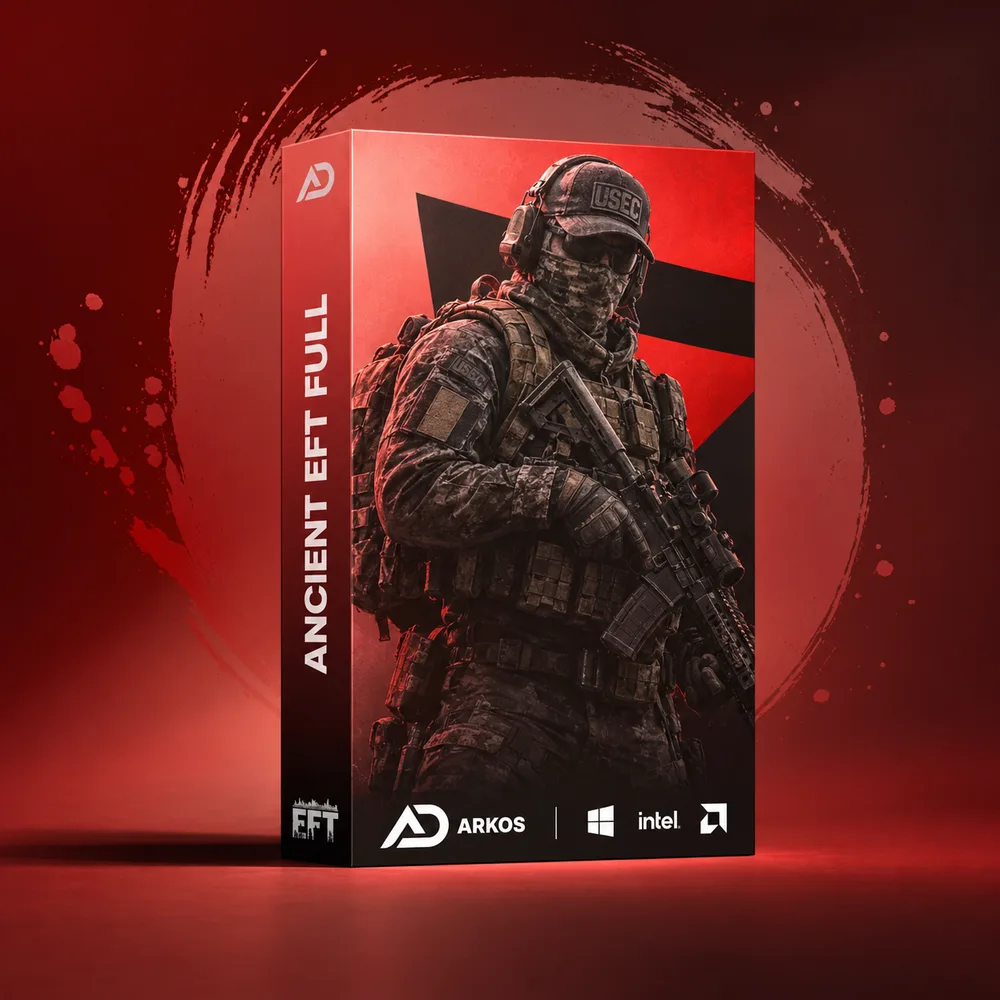
Ancient EFT Full
Price
Select option
Quantity
Your key is delivered to your account instantly after payment — no email needed.
Screenshots
How delivery works
The moment your payment clears, your license key is issued and shown on your order page.
The download for this product's loader sits right under your key — no emails, no waiting.
Step-by-step launch instructions for this product are on the same page.
About Ancient EFT Full
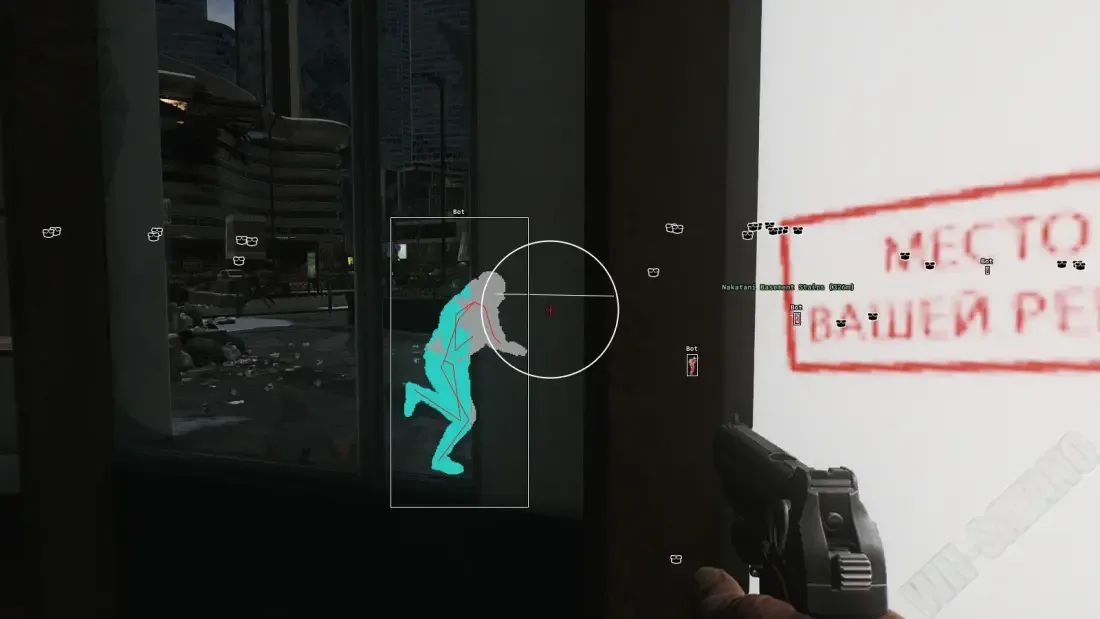
Ancient — an advanced private software for Escape from Tarkov, providing a wide set of tools for combat control, farming, and map navigation. The solution features stable performance, flexible settings, and a large number of functions that can be adapted for either legit or more aggressive playstyles. The aimbot supports a flexible target selection system: by distance, closest to the crosshair, or by health level. ESP provides full information about what is happening on the map: players, bots, scavs, bosses, and teammates are displayed with boxes, skeletons, weapons, distance, and health status. A separate Loot ESP with filters by price and categories is implemented, allowing you to quickly find valuable items, keys, containers, and loot. Additional features include a radar, weather settings, Free Camera, extended weapon capabilities, movement control, and a config system. This solution also includes a built-in HWID Spoofer and powerful StreamProof protection. Ancient is a comprehensive solution for confident gameplay and effective raids in Escape from Tarkov.
Features · 123
Aimbot (Aim Bot)26
- Enable — enables or disables the aimbot
- Aim Key — key to activate the aimbot
- Target Capture — method of target selection (crosshair, distance, HP level)
- Target Bones — selection of body part to aim at (head, neck, stomach, pelvis, legs)
- Target Role — selection of enemy types the aimbot will work on (bots, scavs, PMCs, bosses)
- Teammates — allows enabling or disabling aiming at teammates
- Visible Check — aimbot works only on visible targets (not behind cover)
- Draw Crosshair — displays an additional crosshair on the screen
- Draw Aim FOV — displays the aimbot FOV circle
- Max Distance — maximum aimbot working distance
- Show Target — shows the current target within FOV using a line and other indicators
- Target Color — allows choosing the target highlight color
- Bullet Tracers — displays bullet flight tracers
- Smart Bone — automatically selects the most optimal body part for aimbot aiming
- Bone Trembling — simulates slight aim shaking for more natural behavior
- Instant Hit — instant hit on the target
- Target Lock — locks onto the selected target until it leaves the FOV
- Force Bone — forces aiming at the selected bone
- Force Key — key to activate forced aiming at the selected bone
- Prediction — predicts target movement for more accurate aiming
- Battle Mode — disables unnecessary ESP visuals during active combat (via bind)
- Smart Bones — list of bones available for the Smart Bone system
- Priority Modification — allows modifying bone priority selection
- Priority Mode — aiming priority mode (Legit, Rage, Limbs)
- Priority Switch — automatic switching of the priority bone
- Auto Shoot — makes an automatic shot when you point at an enemy
ESP (Players, Bots, PMCs, Bosses)21
- Enable — enables or disables player ESP
- Players — display real players
- Bots — display AI bots/NPCs
- Scavs — display scav players
- Bosses — display bosses
- Teammates — display teammates
- Max Distance — maximum ESP display distance
- Box — draws a box around the player model
- Box Fill — fills the box with color
- Chams — highlights the player model, allowing visibility through objects
- Skeleton — displays the player model skeleton
- Nickname — shows the player's nickname
- Distance — displays distance to the player
- Weapon — shows the player's weapon
- Quest Mark — marks players related to active quests
- Health — displays the player's health bar
- Show Flags Only In FOV — displays additional player flags only inside FOV
- Type — shows the player type
- Price — displays the value of the player's gear
- Side — shows the player's faction or side
- ESP Preview — preview window showing how the ESP elements (boxes, skeleton, text, etc.) will look in real time
Loot ESP23
- Loot ESP — enables or disables loot display
- Loot Coloring — enables item color highlight based on item value
- Max Distance — maximum loot display distance
- Minimal Price — minimum value of items to display
- Price Mode — selection of price calculation mode (e.g. Market)
- Ignore Not Selected — hides items not selected in the filter
- Draw Distance — displays distance to the item/container/body etc.
- Draw Price — shows the item price
- Loot Category — selection of loot category to display
- Toggle Full Category — toggles display of the entire selected category
- Search — search for a specific item by name
- Loot List — list of items with their current prices (e.g. LEDX)
- Item Presets — preset system for saving loot display settings
- Save Preset — saves the current selected item list
- Load Preset — loads a previously saved preset
- Selected Loot List — displays the current selected item list
- Loot Boxes — enables container display
- Types — selection of container types to display
- Corpses — enables display of player bodies
- Show Price — shows the player's gear price
- Show Loot Price — displays the value of loot inside the body
- Minimal Price — minimum loot value to display
- Main Color — color used to display the body or container
Exfils and Transitions ESP6
- Enable — enables display of extraction points and location transitions (Exfil/Transitions)
- Limit Distance — limits exfil display by a set distance
- Show Distance — shows distance to the extraction point
- Exfils Color — allows choosing the extraction point display color
- Transition Color — allows choosing the transition display color
- Max Distance — maximum exfil display distance
Weather Changer5
- Enable — enables map weather parameter changes
- Wind Speed — adjusts wind strength
- Cloud Density — changes cloud density
- Fog — adjusts fog level
- Rain — adjusts rain intensity
HUD13
- Ammo Counter — enables ammo counter display
- Shooting Mode — shows the current weapon fire mode
- Hit Log — displays information about hits on targets
- Hit Mark — shows a hit marker when dealing damage
- Hit Sound — plays a sound signal when hitting a target
- OOF Arrows — enables arrows pointing to targets outside FOV
- Arrows Size — adjusts arrow size
- Clip To FOV — limits arrow display to the FOV
- Arrows Radius — distance from screen center to arrows
- Radar — enables radar
- Radar Size — adjusts radar size
- Radar Distance Scale — scales distance of displayed objects on radar
- Map Info — displays players, bosses, bots, etc. on the map
Exploits21
- Infinity Stamina — disables stamina consumption
- High Jump — increases jump height
- Height Multiplier — jump height multiplier
- No Inertia — removes movement inertia
- Instant Pose Change — instantly switches posture (standing / crouching / prone)
- No Recoil — completely removes weapon recoil
- No Sway — disables weapon sway
- Instant ADS — instant aiming down sights
- No Malfunctions — disables weapon malfunctions
- Instant Reload — instant weapon reload
- Instant Switch — instant weapon switching
- Fast Load-Unload Mags — speeds up magazine loading/unloading
- Unlock Modification Table — unlocks access to the weapon modification table
- Loot Through Walls — allows looting containers through walls
- No Pickup Delay — removes item pickup delay
- No Container Open Delay — removes delay when opening containers
- No Visor — removes visor darkness/effects on helmets
- Thermal Vision — enables thermal vision mode
- Thirdperson — switches camera to third-person view
- Zoom — allows camera zooming
- Free Camera — free camera for environment overview
Other Features Ancient EFT Full8
- By Search — search field for any cheat menu parameter
- Quest Helper — highlights quest items and quest-related locations
- Stream-Proof — cheat is invisible on screenshots, recordings, and streams
- Built-in Spoofer — includes built-in hardware ID ban bypass
- Configs System — configuration system for saving/loading different settings sets
- Create New Config — creates a new config with current settings
- Import Config — imports a saved config
- Language — interface language selection (English / Russian / 中文)
Requirements
- Operating system: Windows 10, Windows 11 (21H2, 22H2, 23H2, 24H2, 25H2)
- Processor: Intel & AMD
- Video card: Nvidia & AMD
- Client: Battlestate Games Launcher (BSG), Steam